Locum timesheets, minus the paperwork.
Shifts in from your calendar. Receipts itemized from your inbox.
Agency-ready timesheets out the door.
30-day full trial · No credit card · Read-only calendar access · Never touches patient data
Three things, done for you.
For locum physicians — and especially for a month split across several hospitals and agencies, each wanting its own timesheet.
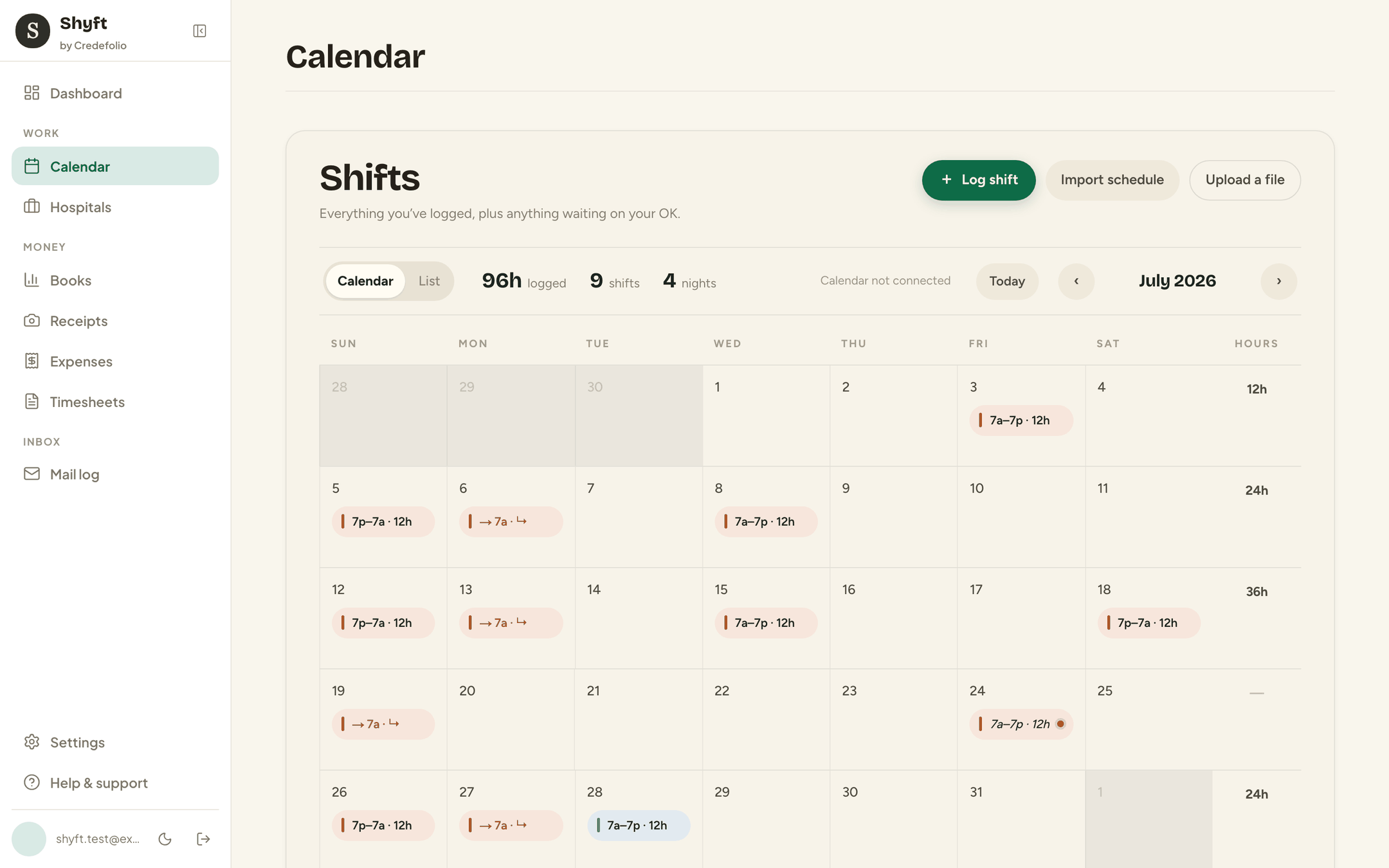
Shifts
Auto-import, approve-first
Your Google Calendar suggests; you approve. Read-only, always.
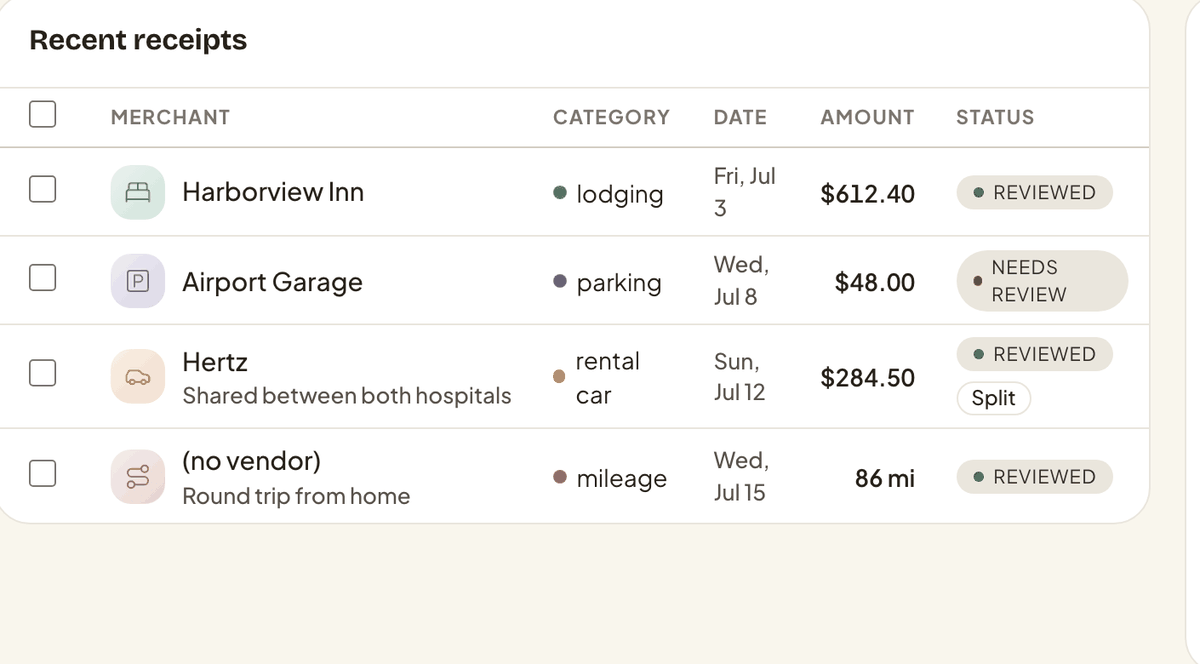
Receipts
Forward an email, done
Receipts are read and itemized for you — lodging, mileage, and more.
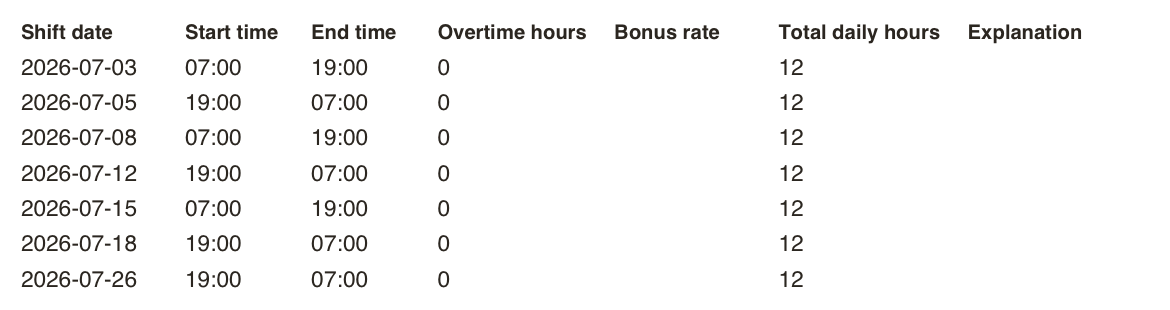
Timesheets
The columns agencies expect
PDF, CSV, or a copy-ready portal view. One tap.
Also on your phone
The mobile apps are in private testing. Shyft already runs in any browser, phone included — everything above works today on the web.
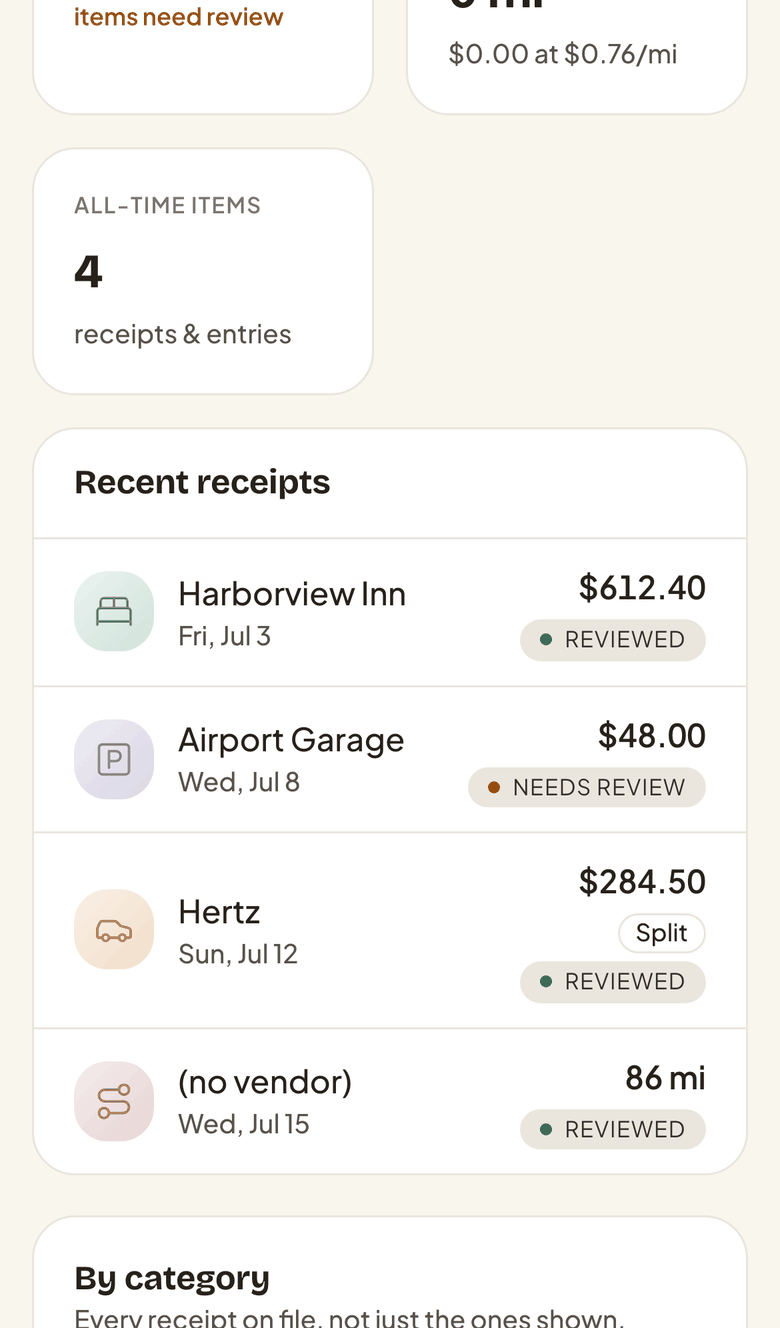
What actually happens
Forward it. That's the whole job.

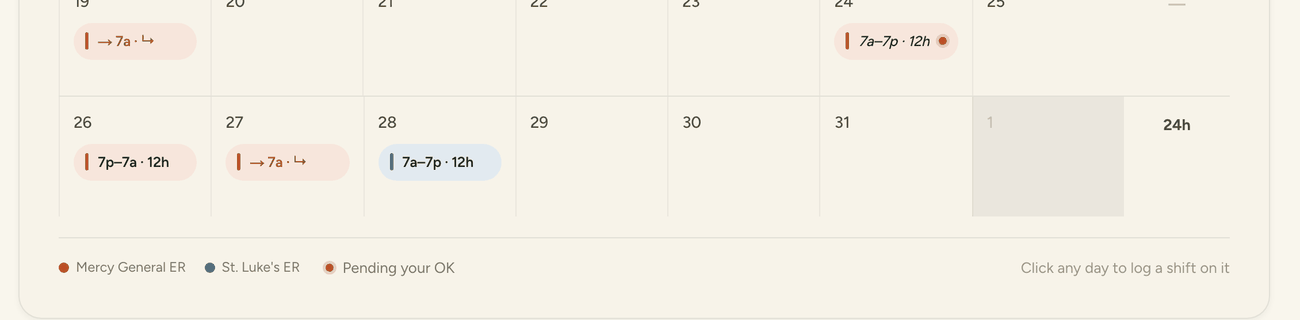
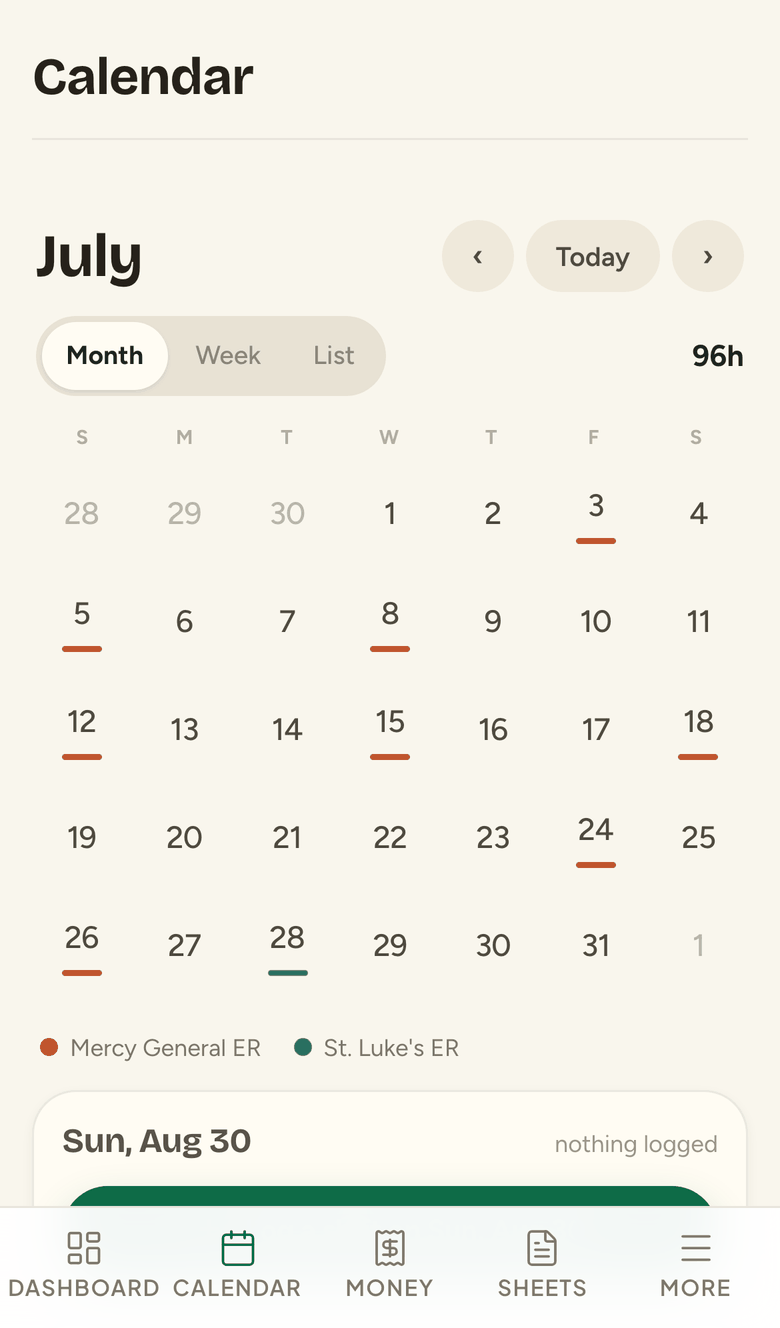
Approve-first, in practice
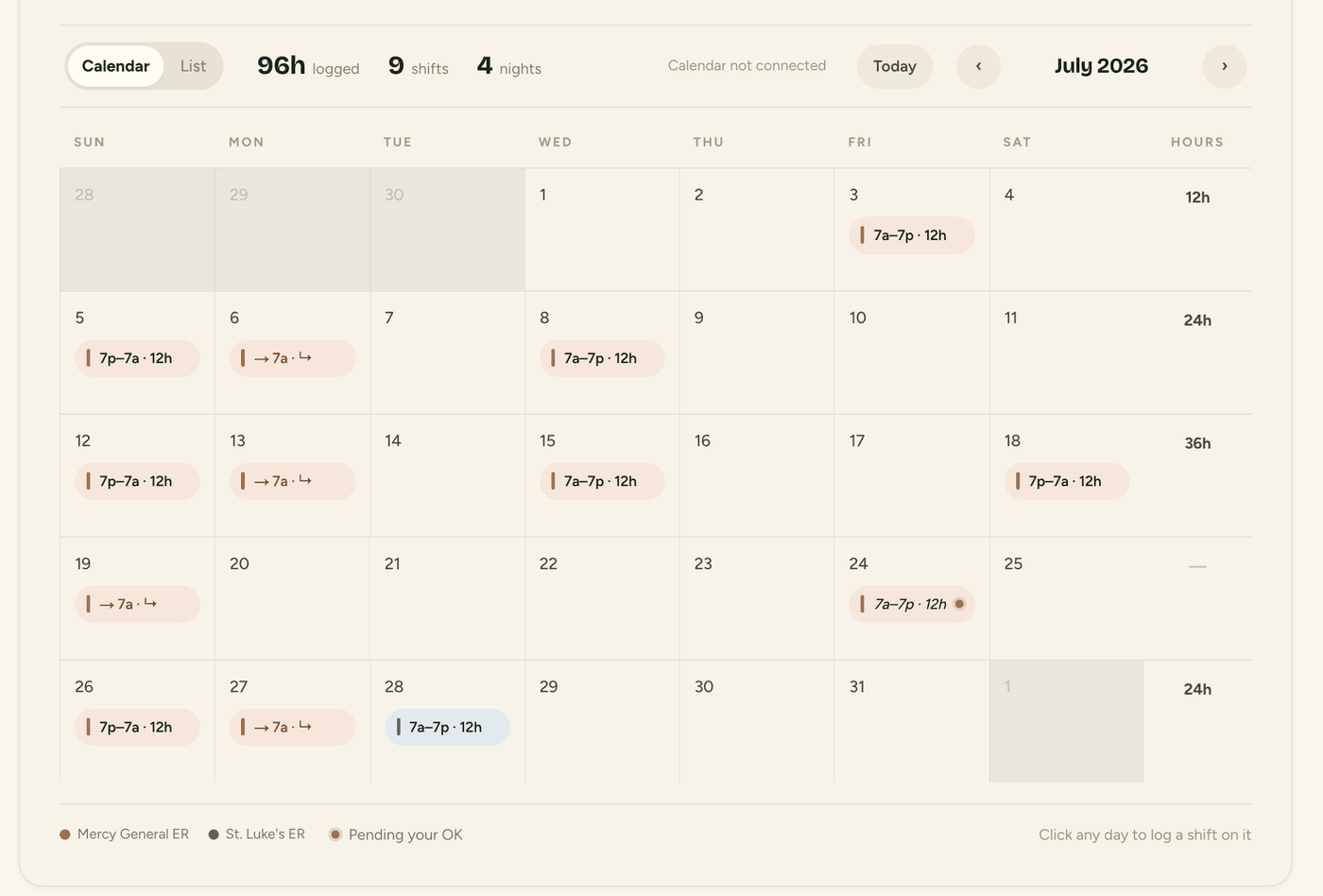
The amber dot is a shift you haven't agreed to yet.
Shyft found it on your calendar and will not put it on a timesheet, or in a total, until you say so. Confirmed hours are then yours — a later sync cannot quietly rewrite them.
The deliverable
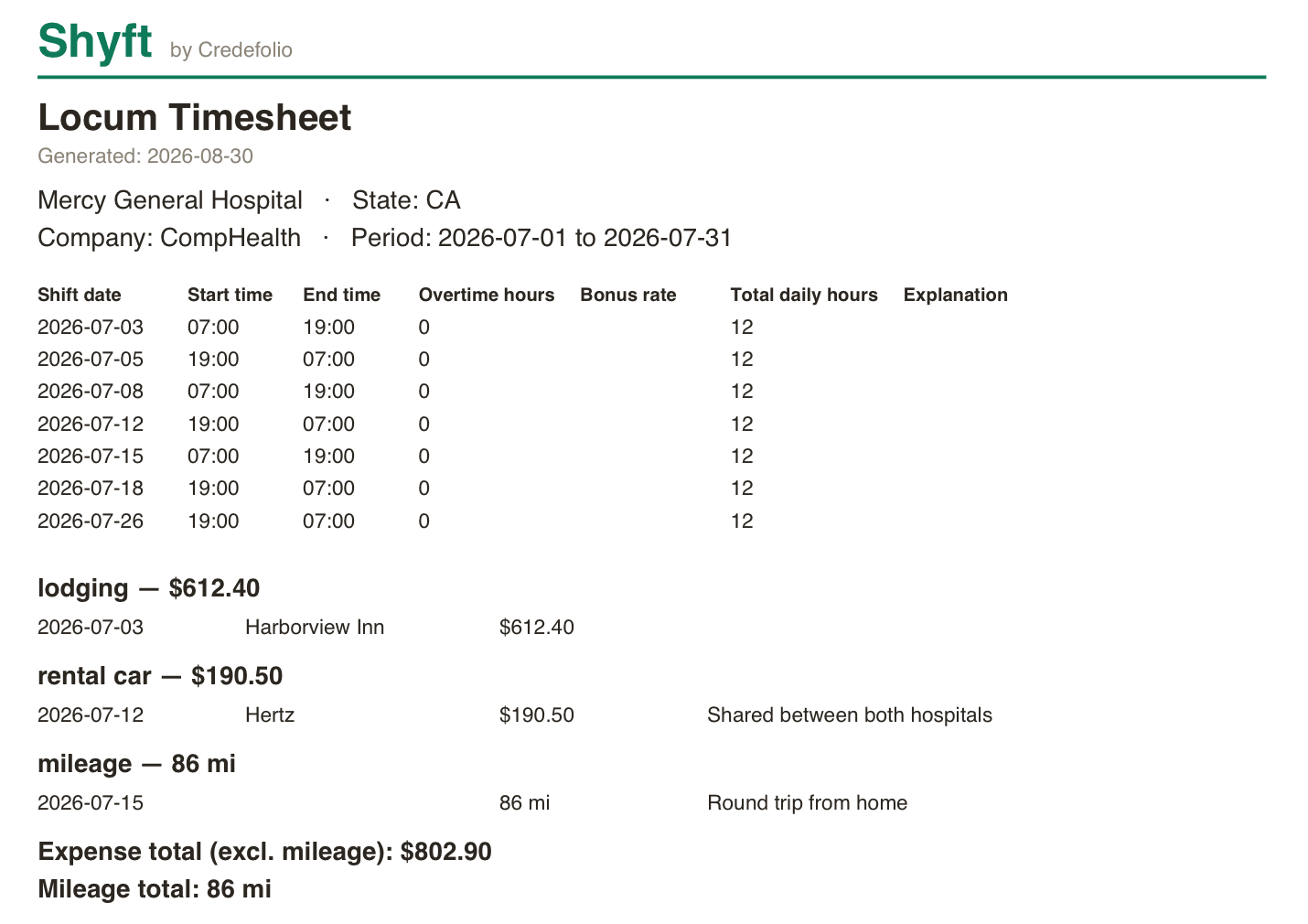
What the agency actually receives.
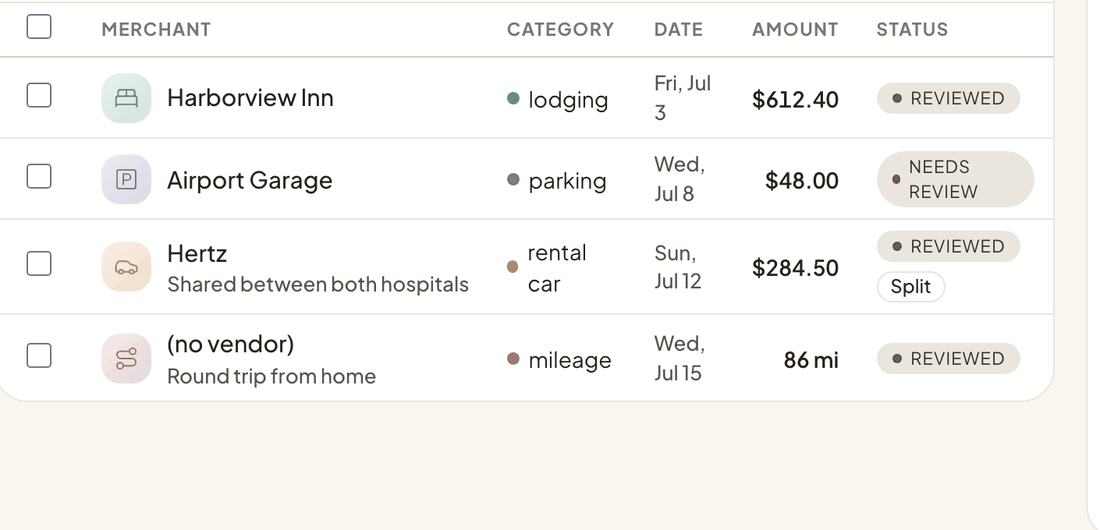
Every shift with its start, end, overtime and daily hours; every expense grouped by category, with the rental car split across the two hospitals that shared it.
Approve-first
Nothing imports without your OK.
Every calendar event arrives as a suggestion, pre-checked when it looks like a shift. You approve what's real; once you confirm hours, no background sync will ever silently overwrite them.
Trust & privacy
Your schedule. Nothing more.
Read-only calendar access
Shyft can never write to, edit, or delete anything on your calendar.
Confirmed hours stay put
Once you confirm hours, no sync will silently overwrite them.
Receipt emails never deleted
Forwarded originals are kept, never removed by the app.
No patient data, ever
Only your schedule and receipts. No medical data, no HIPAA exposure.
How it works
Connect once.
01
Connect your calendars
Check the calendars that hold shifts. Suggestions start arriving.
02
Forward receipts
One email per receipt to your Shyft address. Itemized automatically.
03
Generate the timesheet
PDF with receipts attached, CSV, or tap-to-copy portal values.
Pricing
One price. Everything included.
$59.99
per year
Two months free against paying monthly. Full access for 30 days before anything is charged, and no card up front.
- Unlimited shift imports from Google Calendar
- AI receipt capture & automatic itemization
- PDF, CSV & copy-ready portal exports
- Overtime, bonus rate & daily totals, computed
- Confirmed-hours protection against re-syncs
- Read-only and patient-data-free by design
FAQ
Questions, answered.
Stop rebuilding your timesheet from memory.
30-day full trial · No credit card · Read-only calendar access · Never touches patient data